CALE MEDIA
C.A.L.E. AI Print Farm
CALE MEDIA · HOWELL, MICHIGAN
C.A.L.E. AI Print Farm.
Your orders, files, and printers. One dedicated Windows app.

THE CALE MEDIA WORKSHOP
Websites, apps, local AI and experiments.
Standalone Windows app · private Cale Media project
C.A.L.E. AI
Print Farm
From an eBay order to the next print. Connect your account, choose your file folders, and bring your printers into one dedicated app.
Match orders to files, review uncertain matches, and queue the next job when a compatible printer is ready and its bed checks clear.
Its own installer. Its own app. Windows 10/11 · K1 SE support.
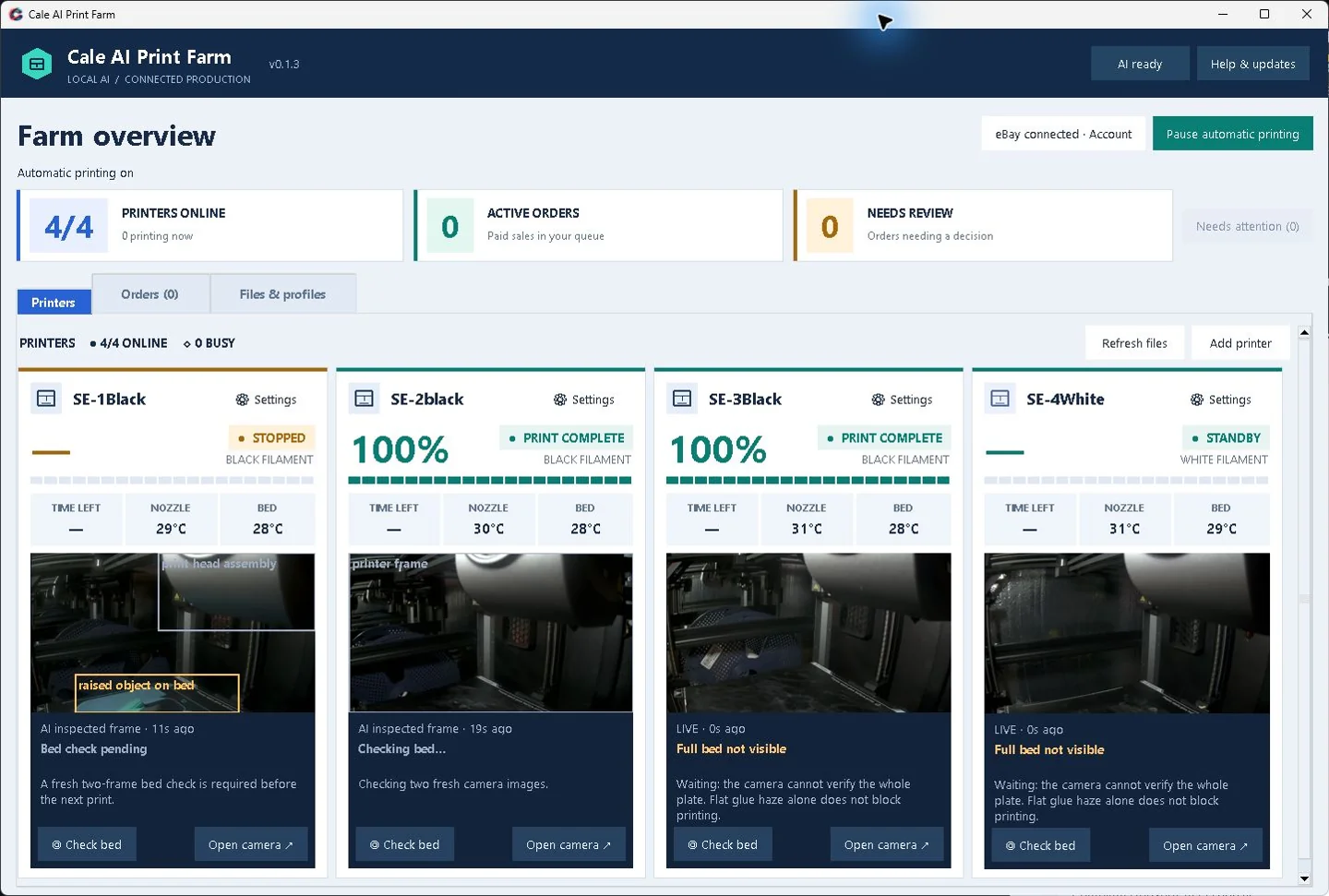
From setup to the next job
Your farm.
A simpler workflow.
C.A.L.E. AI Print Farm runs as its own desktop app. No Workbench install or farm migration is needed.
01 / Connect
Bring in your orders.
Install the Windows app, add your compatible printers, then use Connect account to authorize your own eBay seller account.
02 / Choose your files
Point it to your folders.
Use Add folder to watch Downloads, your model library, or another folder on your PC. Print-ready G-code and supported STL, OBJ, and 3MF models belong in one workflow.
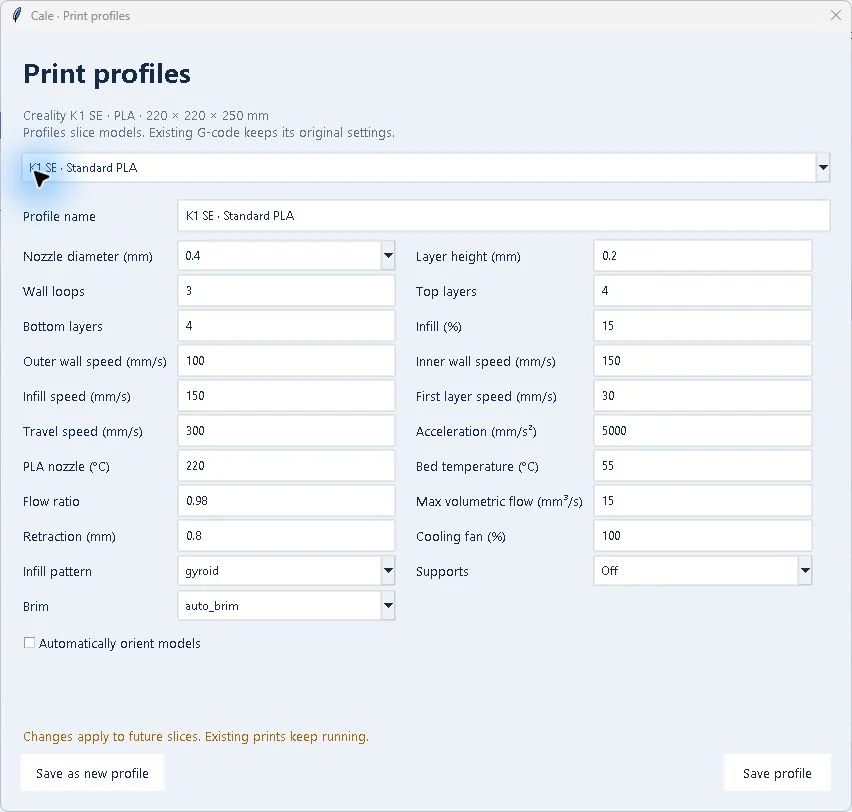
03 / Set your profiles
Make the settings yours.
Built-in slicing prepares supported model files. Customize layer height, walls, infill, supports, speeds, and temperatures for your printer and material.
Confidence where it counts
A queue that
knows when to wait.
Automatic starts depend on the matched file, printer readiness, and a fresh camera bed check.
Review uncertain file matches.
File matches above 50% can proceed automatically when the other checks pass. Matches at or below 50% wait for your approval. A thumbs up or down helps correct the match for future orders.
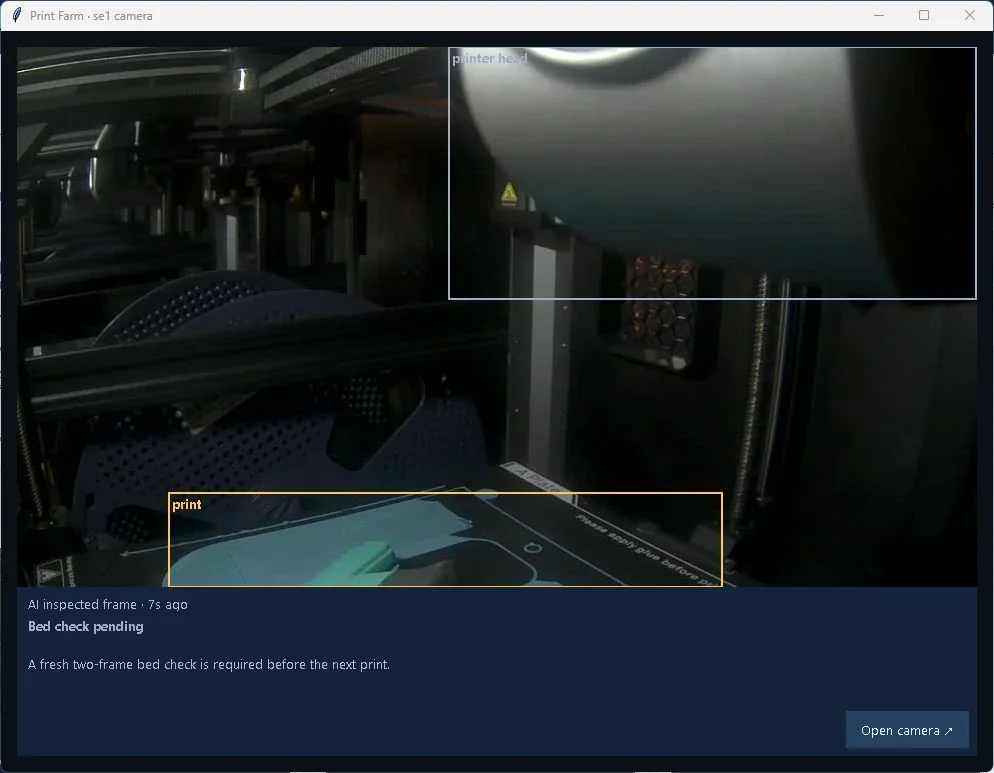
Watch the bed, then continue.
Camera checks look for a print still on the bed. Once it has been removed and the bed is confirmed clear, the next eligible queued print can start. An obstructed or uncertain view keeps the printer waiting.
Current hardware support focuses on Creality K1 SE printers. Windows 10/11, 64-bit. Camera visibility, network access, compatible files, and your printer profiles affect what can run automatically.
Made here. Built in the open.