CALE MEDIA
C.A.L.E. AI Workbench White Paper
C.A.L.E. AI Workbench
ChatGPT, Grok, free AI and local models. Together in one workspace.

Your AI.
All in one Workbench.
Meet C.A.L.E. — the Cognitive Autonomous Learning Engine.
Your AI assistant for turning ideas into things you can use. C.A.L.E. brings your connected AI and local models into one workspace to help you build apps, make music and work with your files.
More power for bigger jobs.
Connect your own ChatGPT, Grok or other supported AI account for harder tasks or when you want a faster response. Use it alongside AI running on your PC, in the same workspace.
Start with free AI.
Connect a free AI account and start creating with C.A.L.E.
Same model.
Different result.
One local 9B model. Two ways of putting it to work. These are the saved outputs, shown at the same browser size.
Model on its own
Did not pass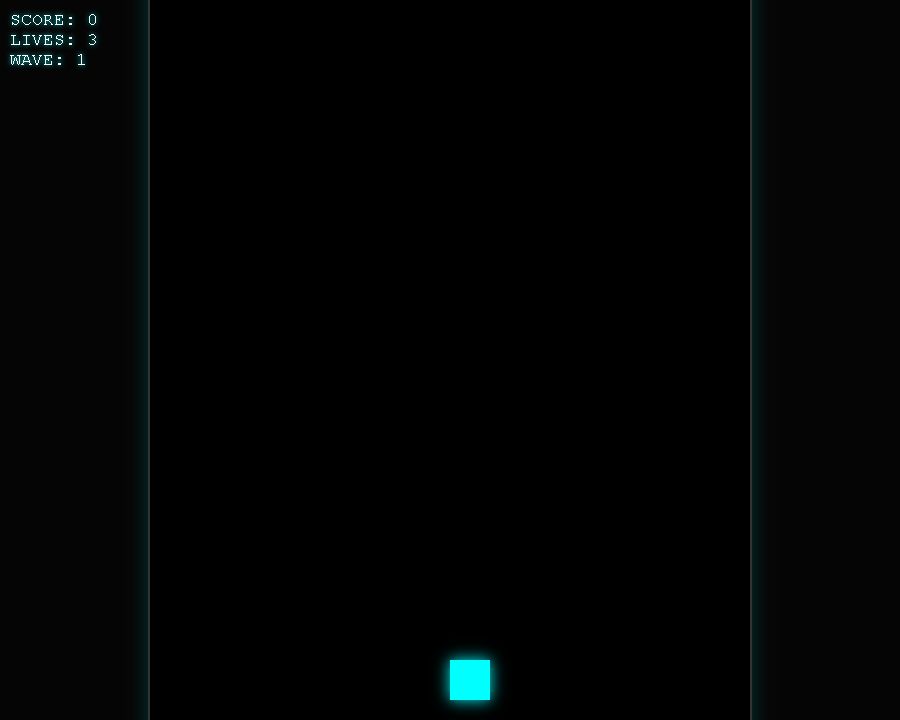
Code generated.
Requirements missed.
The direct attempt failed the required game checks. A second attempt with feedback still did not pass.
Open the model’s output ↗Same model + C.A.L.E.
Passed recorded checks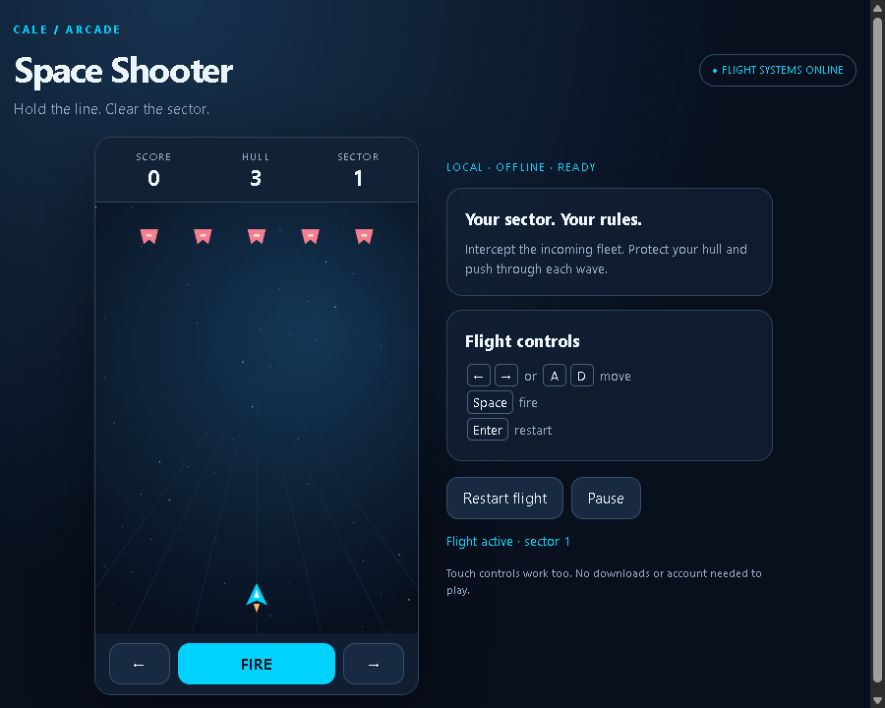
A playable game.
Built and checked.
Workbench used a game starter and completed the prototype in 67.51 seconds. All 13 logic checks and five browser checks passed.
Play the C.A.L.E. result ↗Our technology turns model output into useful work.
C.A.L.E. gives local models a way to work with files, use tools, keep a task moving and check the result. That support is what turns a promising answer into something you can try, improve and use.
Small AI.
Useful work.
Our recorded local 9B-model trials also completed practical app-building and repair tasks. A 9B model has roughly nine billion parameters.
Build a useful app.
A local model working through Workbench built an offline tip-splitting calculator. Checks confirmed the calculations, invalid inputs and mobile layout. Its saved tests also caught deliberately introduced defects.
Fix logic you depend on.
A shipping-calculation repair passed all 11 recorded behavior cases. The saved tests rejected four deliberately broken versions, helping distinguish a real fix from a convincing completion message.
One app.
More ways to create.
Start with a chat. Build and preview an app. Create a song and mix it. Keep your projects together in Workbench.
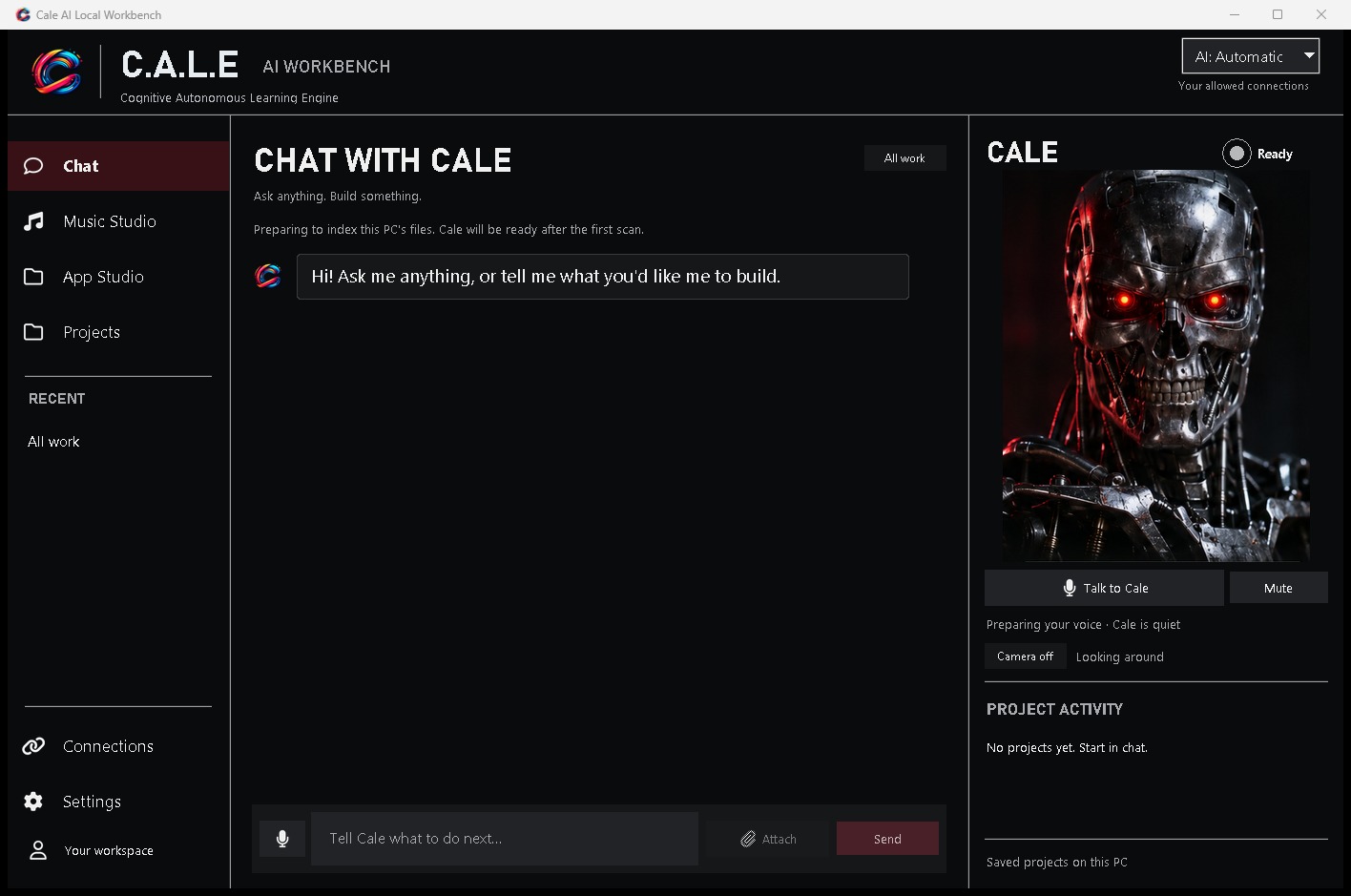
Browse the web with C.A.L.E.
Web Browser AI puts C.A.L.E. beside the page you’re using. Ask it to find information, read pages or fill in forms. Watch it work in the built-in browser, take control when you need to, and hand the task back to C.A.L.E.
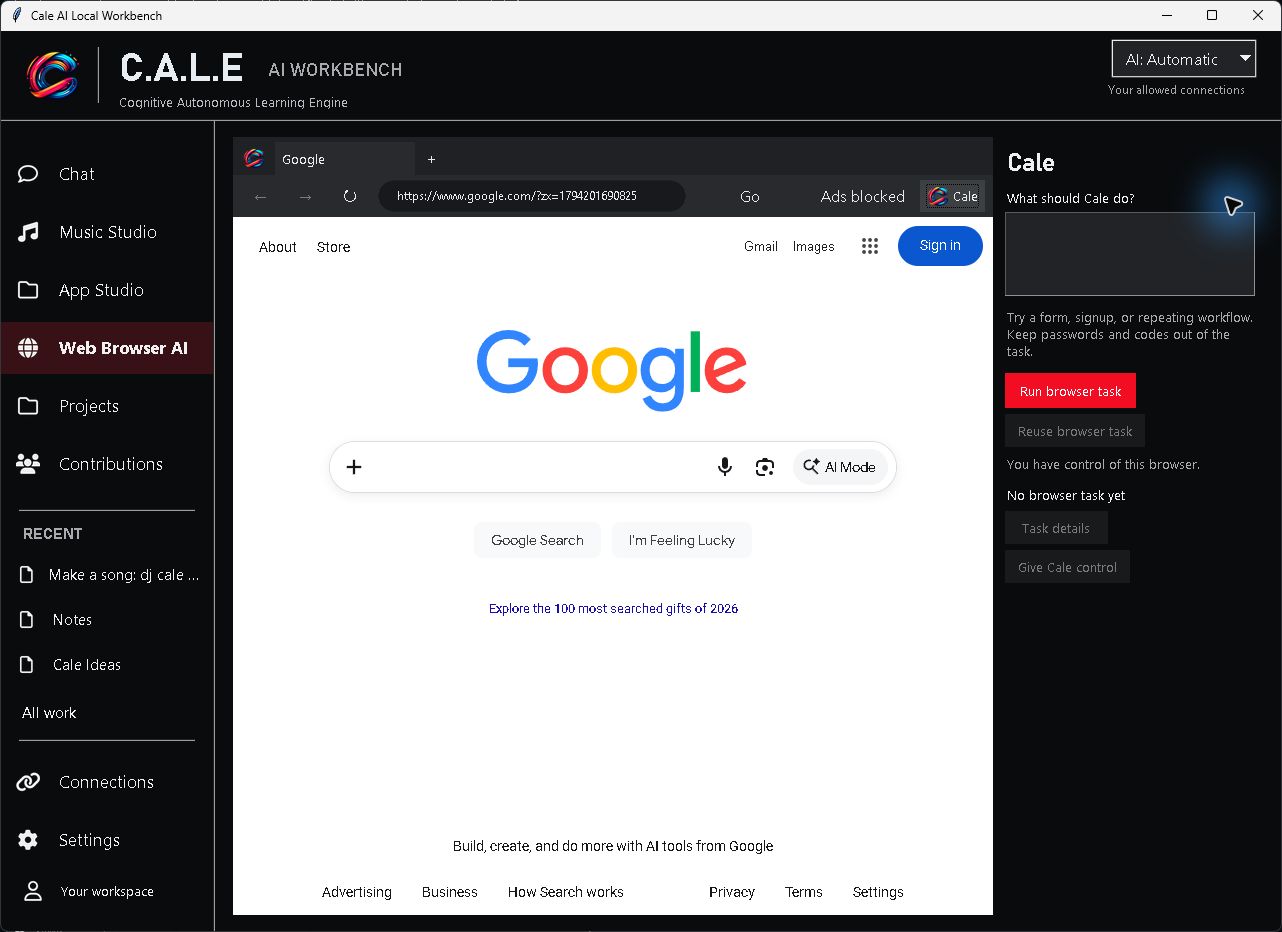
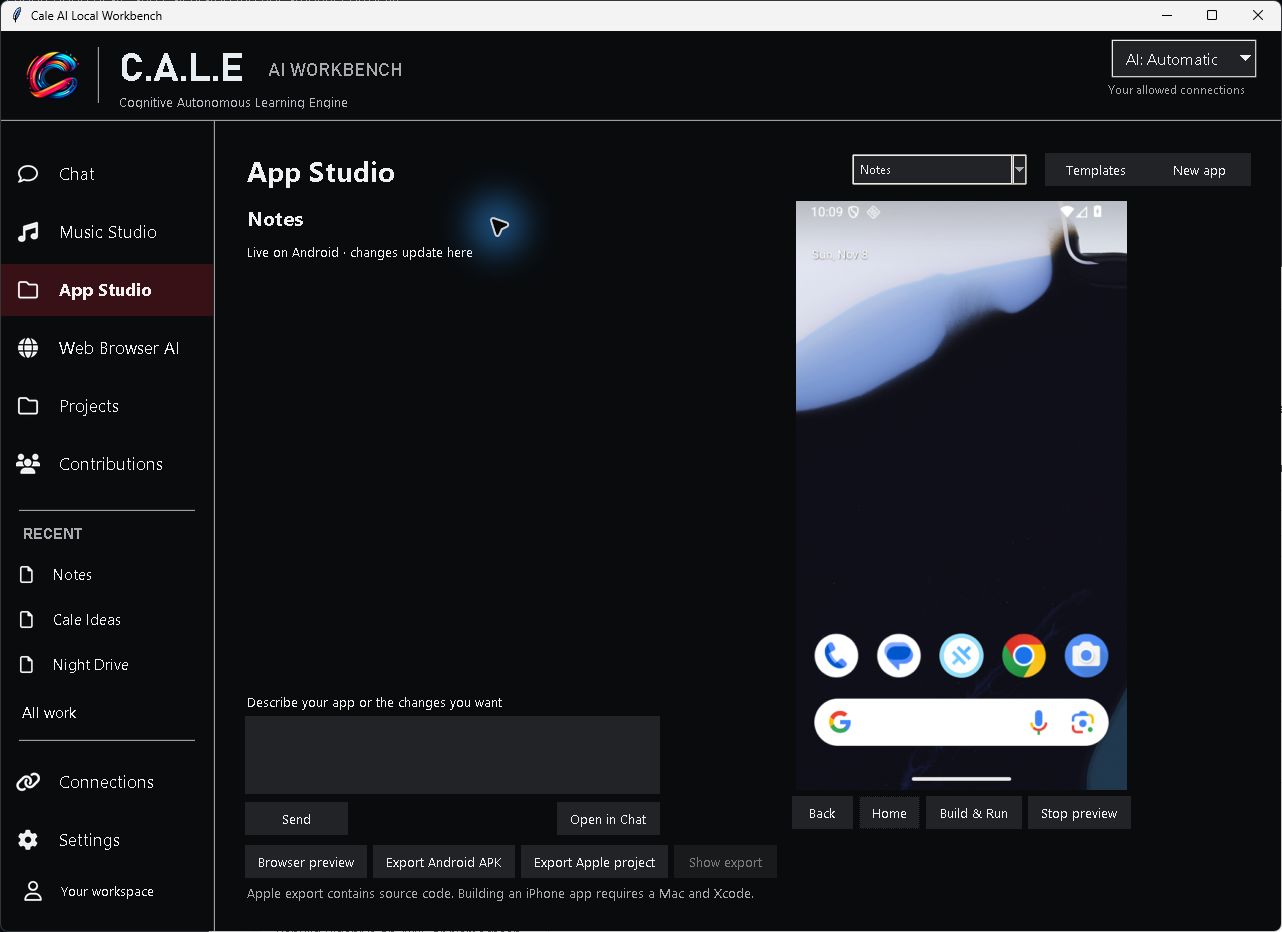
Build and preview in App Studio.
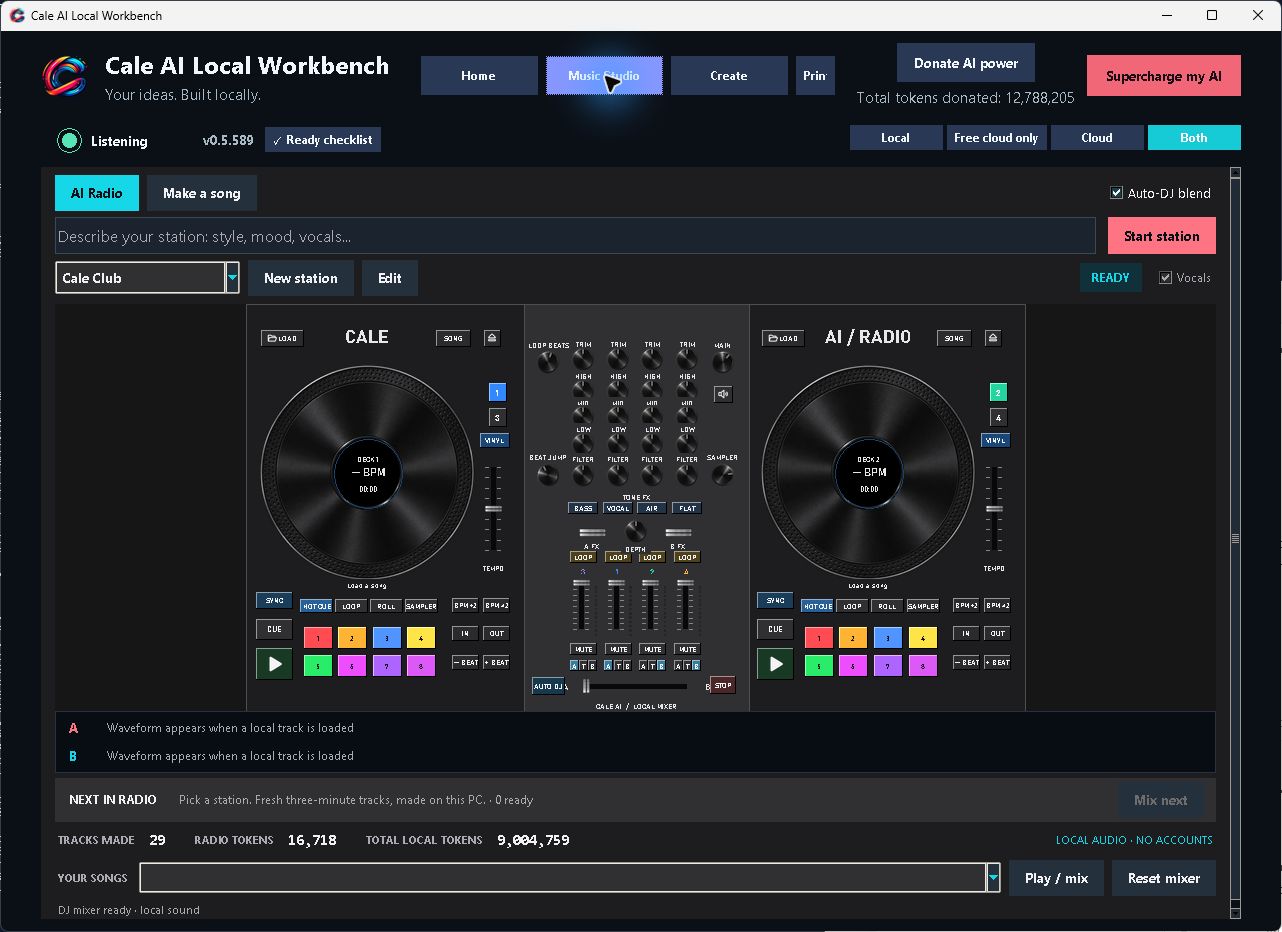
Create and mix in Music Studio.
Work with tracks, DJ decks and mixing controls in the same creative workspace.
Made in Music Studio
Press play. Hear what C.A.L.E. made.
C.A.L.E. Club · Original AI-generated song · 3 minutes
Built to work
on your computer.
Small local models put more of the work on hardware you control. In a fully local workflow, your prompts, files and results can stay on your device.
After setup, supported local work can continue offline while access remains valid. Downloads, activation, live research and connected services need internet access. Hardware requirements depend on the models and tools you choose.
Test results and conditions
How to read the game comparison
The pictured direct output is the second attempt from the local 9B model. Both direct attempts failed the required game-logic checks, including access to the requested live game state and reset behavior. The Workbench run’s recorded model-weight identity matches the underlying model; it used a game starter and passed 13 logic checks plus five real-browser checks. Prompts, reasoning settings and workflow support differed, so this is a system demonstration, not a controlled model-only experiment. Screenshots show actual outputs at a 900 × 720 browser viewport. The exported examples can be opened above.
Faster where it counts.
We are improving the actions that keep work moving. Recorded comparisons show less waiting for Android screen captures and text entry.
| Operation | Before | After | Less time |
|---|---|---|---|
| Screen capture | 344.5 ms | 223 ms | 35% |
| Text entry | 1.34 s | 0.114 s | 92% |
Component tests on the same PC: eight captures per method with matching image content, and four text-entry samples per method with the entered text verified. These measure individual operations, not overall app speed.
What the numbers measure
Game prototype: 67.51 seconds in a recorded starter-assisted development run. The resulting space shooter passed the recorded logic and real-browser gameplay checks. This measures that bounded prototype task, not arbitrary game development or a build from scratch.
Android: the highlighted run assigned 2 GB of guest memory and 1 virtual CPU. It recorded 6.45 seconds for restart and 93.92 seconds for first boot. A separate full-workflow run at the same guest allocation recorded a 10.80-second restart and passed four tap/back control rounds on each boot.
TubeShowcase full-power test: 63.39 seconds for one cold start; 4.14 seconds median across three restarts; 1.26 seconds median from the TubeShowcase 1.0.1 launch request to a readable foreground screen after restart. Android received 12 vCPUs and 8 GB, with hardware graphics and all 24 host logical CPUs available. TubeShowcase was launched after all four startups and passed eight Home/reopen checks. Actual TubeShowcase page text was confirmed in all three timed restart sessions; the initial cold-launch check confirmed the foreground app container.
Test conditions
The low-resource Android tests used a Windows PC with a 12-core AMD processor and approximately 128 GB RAM, restricted to two host logical CPUs. The full-power test used the same PC with a Ryzen 9 5900X and RTX 3060, unrestricted host CPU access, and other desktop workloads running. Guest memory allocations exclude Windows and application overhead.
These are developer-run results from separate development builds, not an independent comparison with competing products. Performance varies with hardware, setup, and task. They are not a speed guarantee for the current download. Larger game trials and some earlier runs did not complete successfully.
Other selected task results summarize Cale Media development trials from November 3, 2026. Android results were reviewed November 8, 2026. Interfaces and available features may change between releases; the roadmap describes planned work.
Workbench’s source code and implementation documentation are private. Required third-party notices accompany the software. Contact Cale Media with product, setup, or access questions.
Full-power test conditions
Only TubeShowcase was installed and exercised in the fresh test device. The allocation was an isolated benchmark override; it does not change the installed app or represent a setting in the current download. Other desktop workloads were running. The earlier low-resource runs used different conditions and are not a controlled before/after comparison against this test.
Earlier exploratory attempts encountered screen-reading or tap-check failures and were excluded from the TubeShowcase result. The headline summarizes the completed TubeShowcase-only run, not a claim that every configuration passes.
Put your AI to work.
Try C.A.L.E. AI Workbench for Windows with a free seven-day trial. Start with a useful project of your own.
Internet access is required for setup and trial activation. After the trial, contact Cale Media for an access code.